
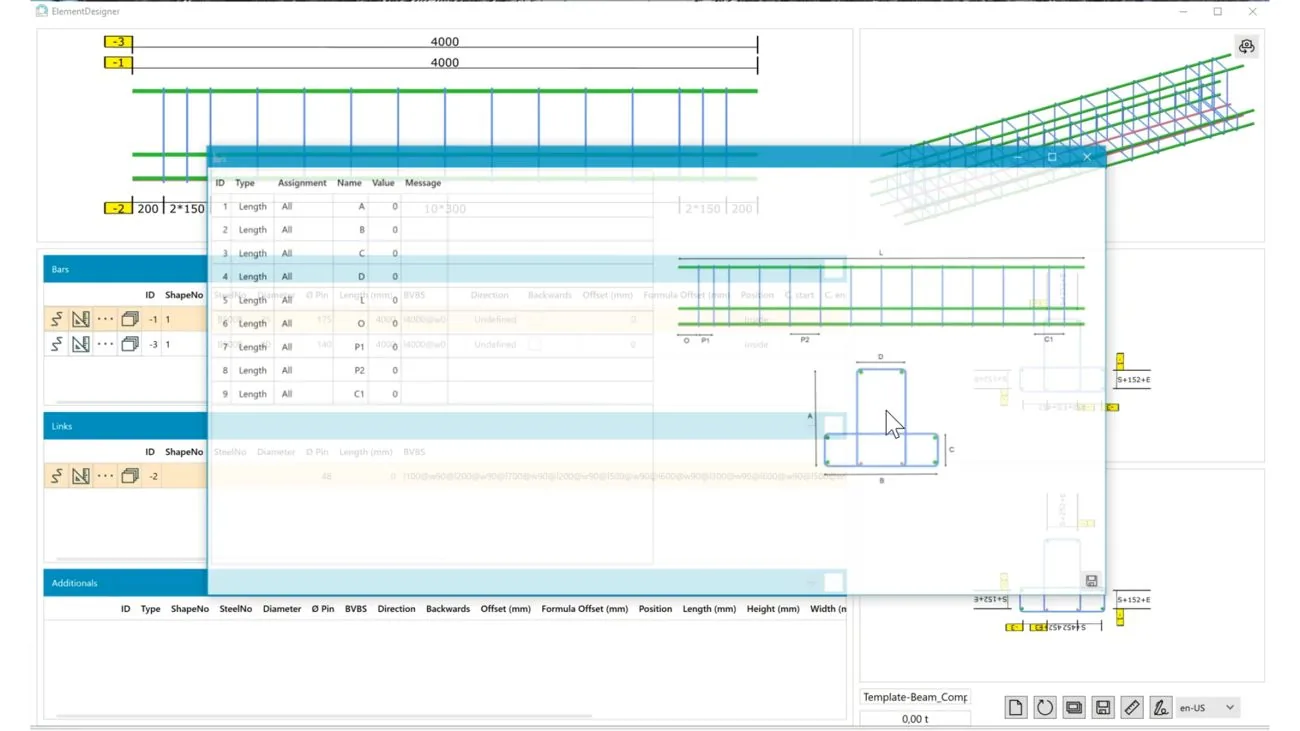
From bored pile to cage – in one dialogue
Freely define and precisely adjust element types. New types and predefined templates ensure faster processes and maximum standardisation.
Freely definable
Freely combine elements from longitudinal bars, additional bars, stirrups and spirals and dimension them precisely.
Four views
Side, front and rear view plus 3D – switchable between orthographic and perspective.
Directly in LP-SYSTEM
No interface, no second program: the steel items go straight into the schedule.
Round or square?
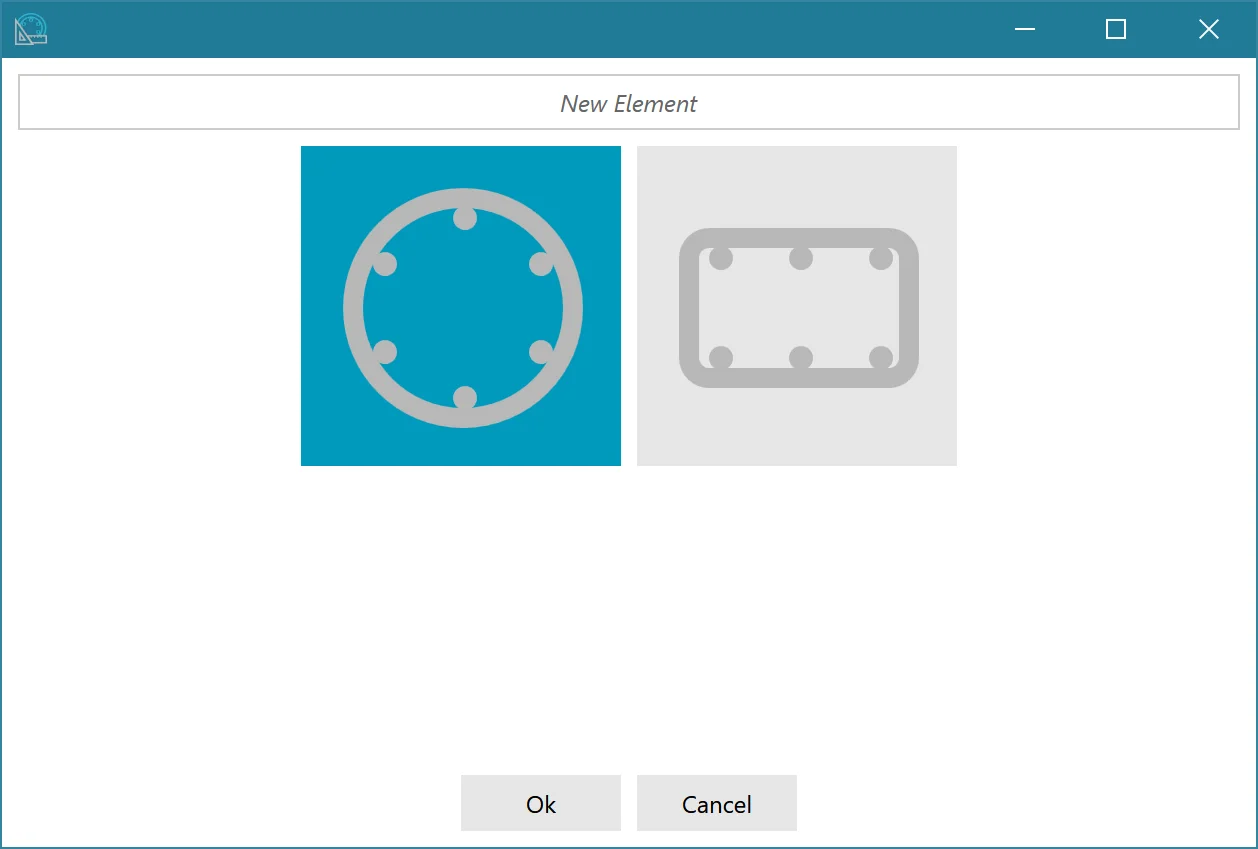
When creating a new element you choose the element type with one click – the Element Designer immediately generates a basic element with main longitudinal bars and main stirrups, which you then adjust.
Bored pile
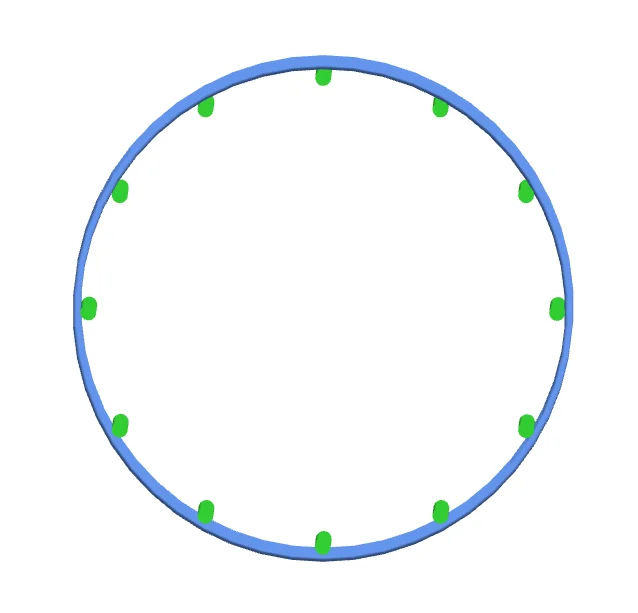
Bored piles have a round basic shape. The longitudinal and additional bars run lengthwise and are fixed to rings or spirals – the Element Designer distributes the bars automatically around the circle.
- Enter the quantity per item – distribution all round is automatic
- Repetition via “Distance Z” and “Number Z”
- Stiffening rings, stiffening crosses, base cross and base plate
Cage
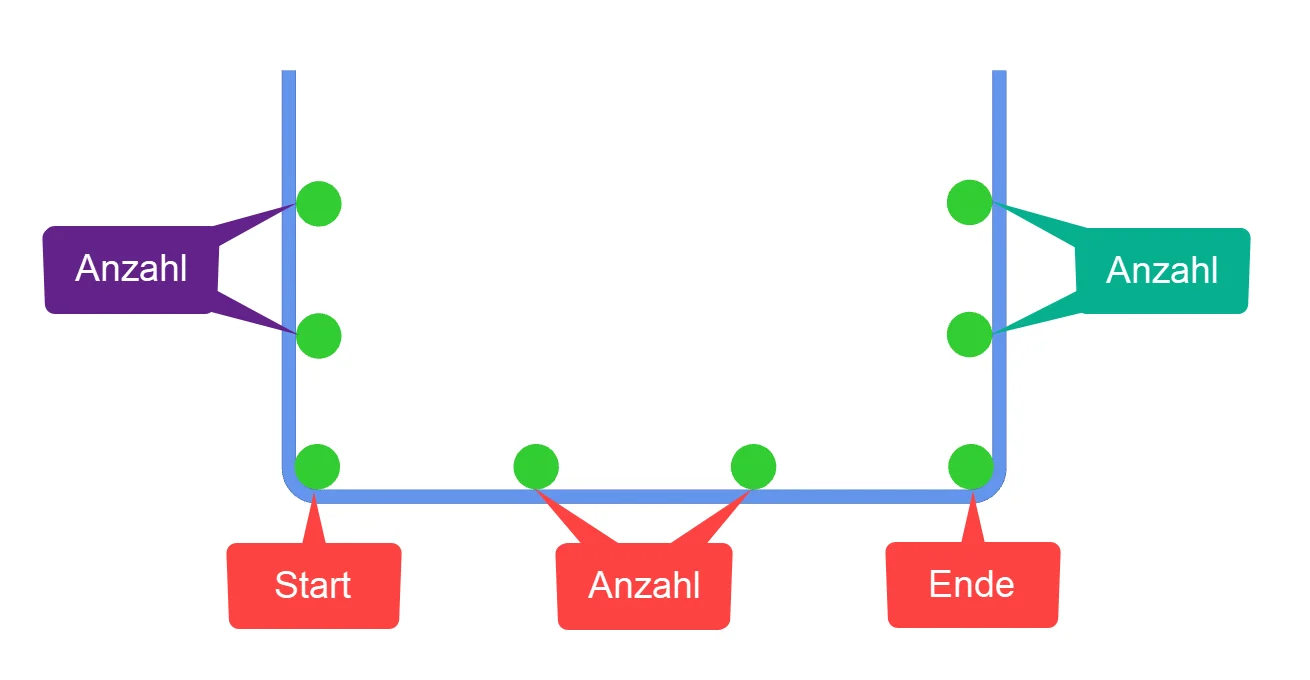
Cages have a square basic shape. The longitudinal and additional bars are fixed to a segment of the stirrup – at the start, at the end, evenly distributed or at a fixed spacing.
- Select a segment, place bars at start and end
- Distribute a number evenly or use a fixed spacing with offset
- Repetition via “Distance Z” and “Number Z”
Everything at a glance
Eight areas, one window. Click on an area – we will show it in the picture and explain what happens there.
Five steps to the element
Using a bored pile as an example – click through.
Choose element type
Click on “New”, enter a name, choose bored pile or cage – the basic element is ready.
Choose bending shape
Choose the bending shape for longitudinal bars and stirrups from the catalogue – filters help you find it.
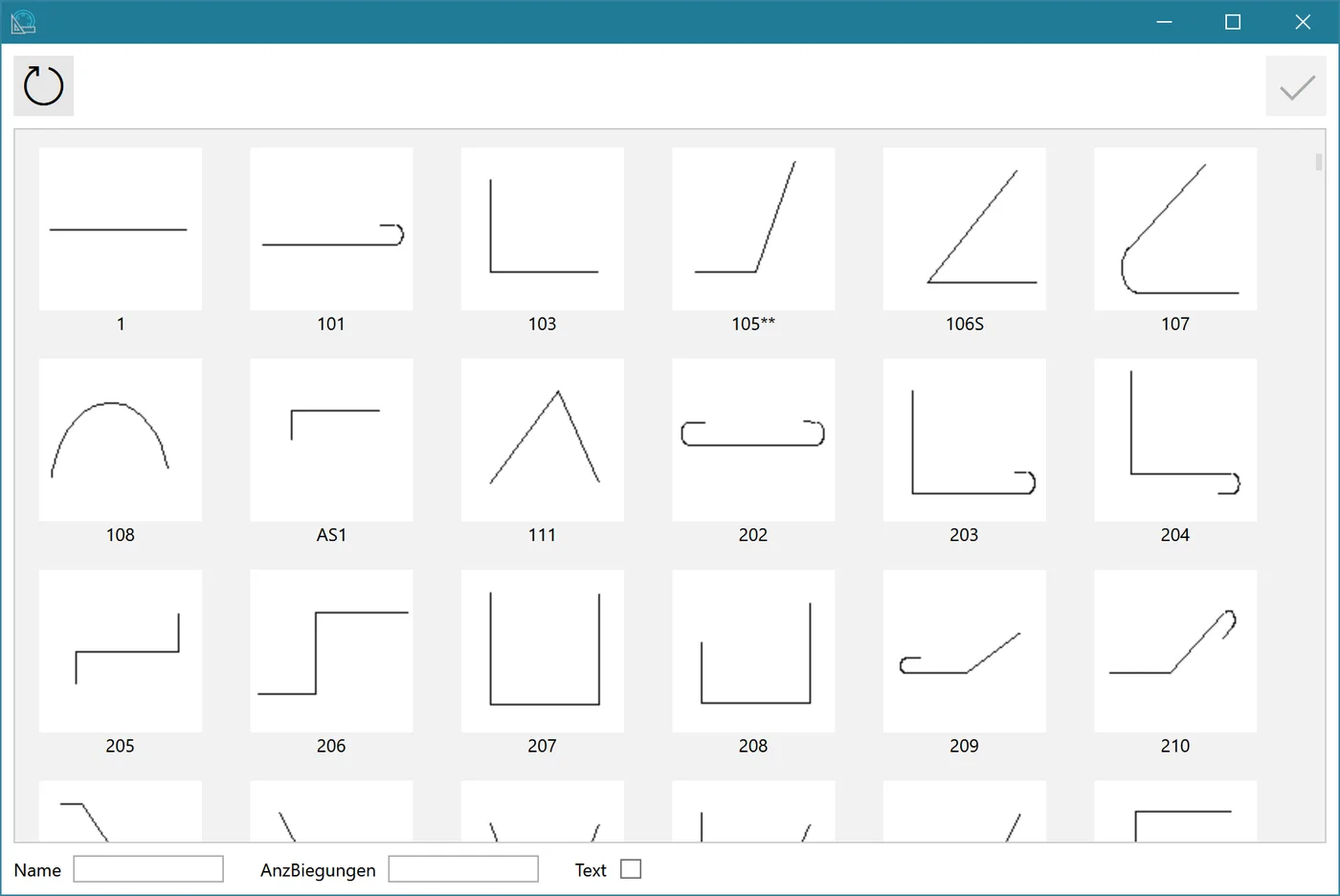
Dimension
Enter the individual dimensions of the bending shape in the “Dimensioning” dialogue.
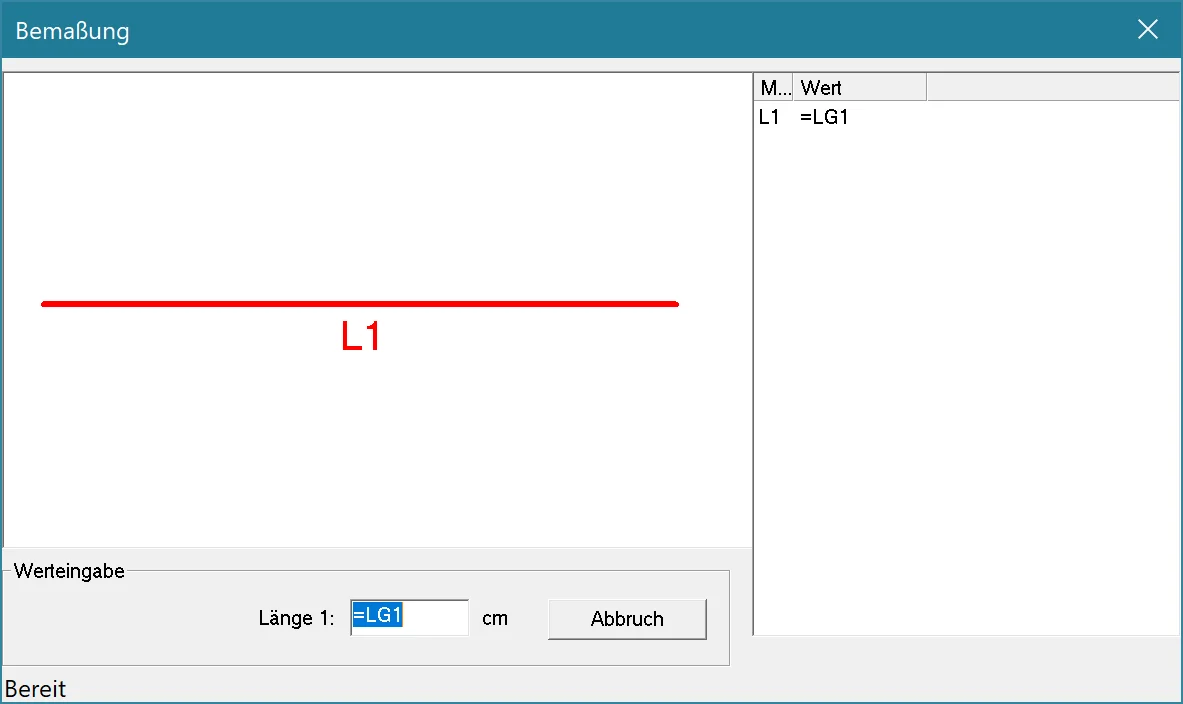
Distribute
Set quantity, spacing and offset: “Distance Z” and “Number Z” repeat bars and stirrups as often as you like.
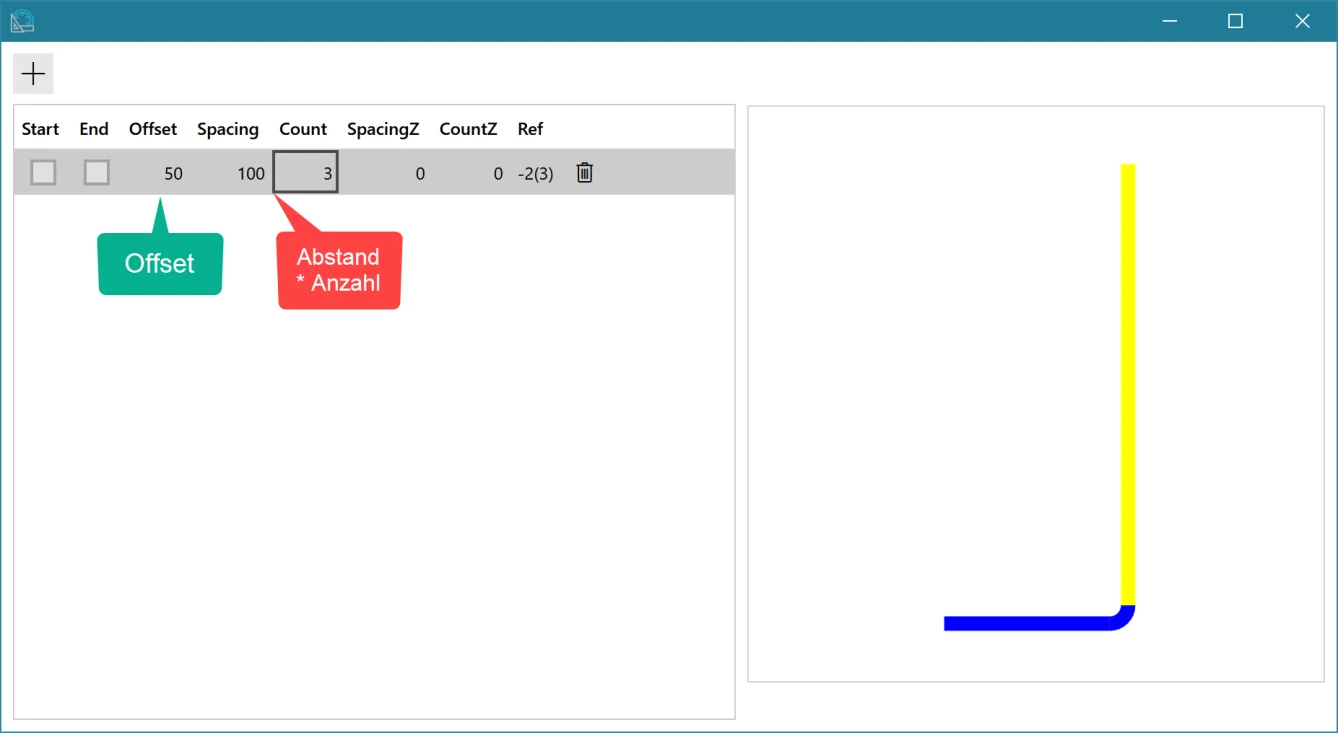
Update 3D
One click applies all values to the views – the element is finished and the items are available in LP-SYSTEM.
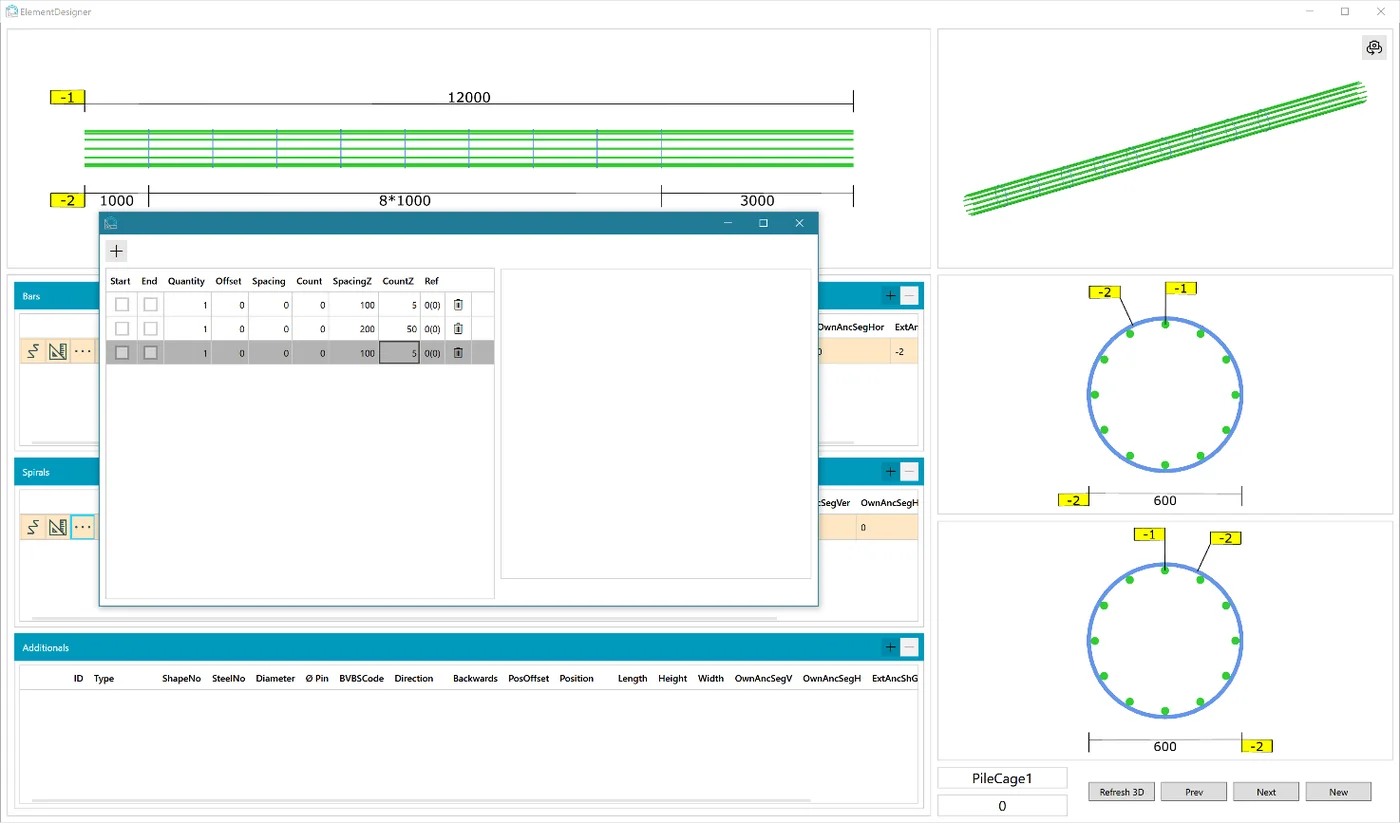
What an element consists of
Every element needs at least one longitudinal bar group and one stirrup group – everything else is added as needed.
Longitudinal and additional bars
MandatoryRun lengthwise and are connected with stirrups or spirals. The first group are the main longitudinal bars.
Stirrups, spirals, additional stirrups
MandatoryCreate the structure of the element and lie across the longitudinal bars. The first group are the main stirrups.
Stiffening ring
Bored pileMade of flat steel, across the element – connected to a longitudinal bar group.
Stiffening cross
Bored pileMade of reinforcing steel, across the element – for additional stability.
Base cross
Bored pileMade of flat steel at the end of the bored pile.
Base plate
Bored pileMade of flat steel at the end of the bored pile.
Related
Experience the Element Designer live.
In a live demo we will design a bored pile or cage with you – online or at your premises.